



















































Prove ID AI Agent SCA Techsign DOC SAT IDP Pay by Face KYF
Request a Demo
Teknopark No:1/C, Office: 1301 34906 · Istanbul/Turkiye t. +90 (216) 510 2781 · m. info@techsign.com
KYF

AI-Powered Cafeteria Checkout

Put the tray down and tap the button. KYF recognizes the food, calculates the price and calories, and takes payment by card, meal card, QR code, or face.

Trusted by leading institutions across Türkiye

It sees. It prices. It gets paid.

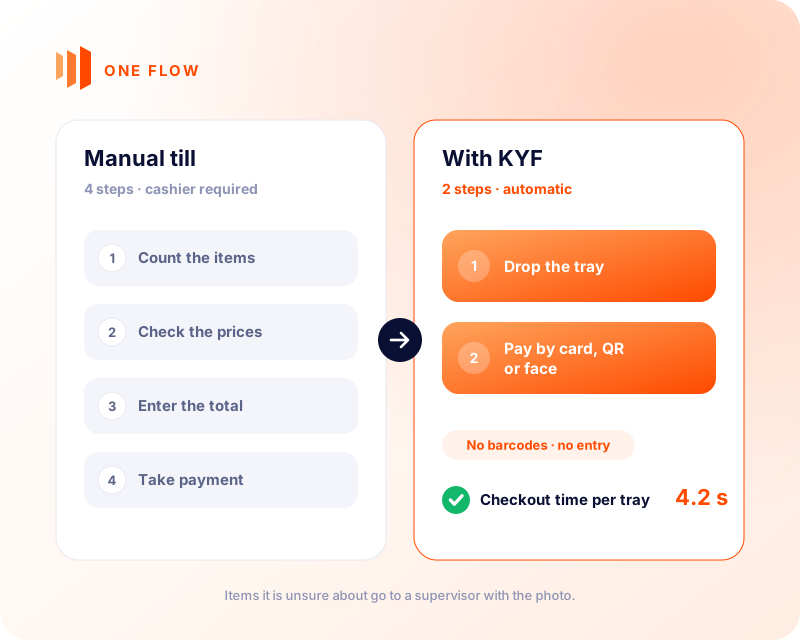
The tablet reads the whole tray, prices it against today’s menu and takes payment. Anything it is unsure about goes to a supervisor with the photo; a card or badge left on the tray is masked on the device.

A manual till takes four steps and a cashier. With KYF it is two: drop the tray, then pay by card, QR or face.

  • Recognition: the camera reads the whole tray, not just a single dish.
  • Pricing: today’s menu and your location rules set the price; calories are calculated at the same time.
  • Payment: card, meal card, QR or Pay by Face — whichever you already use.
Request a Demo

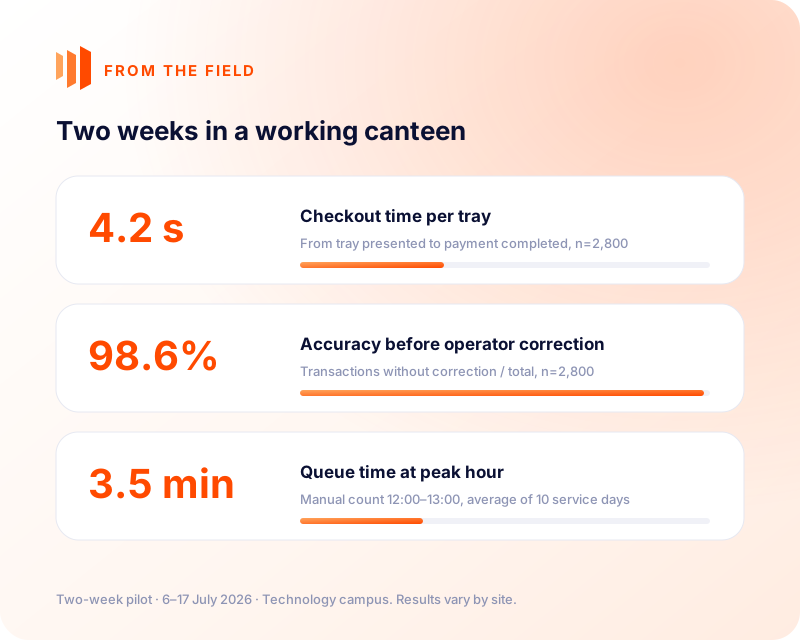
What two weeks in a working canteen measured

  • 4.2 s checkout time per tray — terminal timestamps, from tray presented to payment completed (n=2,800).
  • 98.6% recognition accuracy before operator correction (n=2,800).
  • 3.5 min queue time at peak hour — manual count 12:00–13:00, average of 10 service days.

Two-week pilot · 6–17 July 2026 · Technology campus. Results vary by site, menu and payment set-up.

Your menu. Your prices.

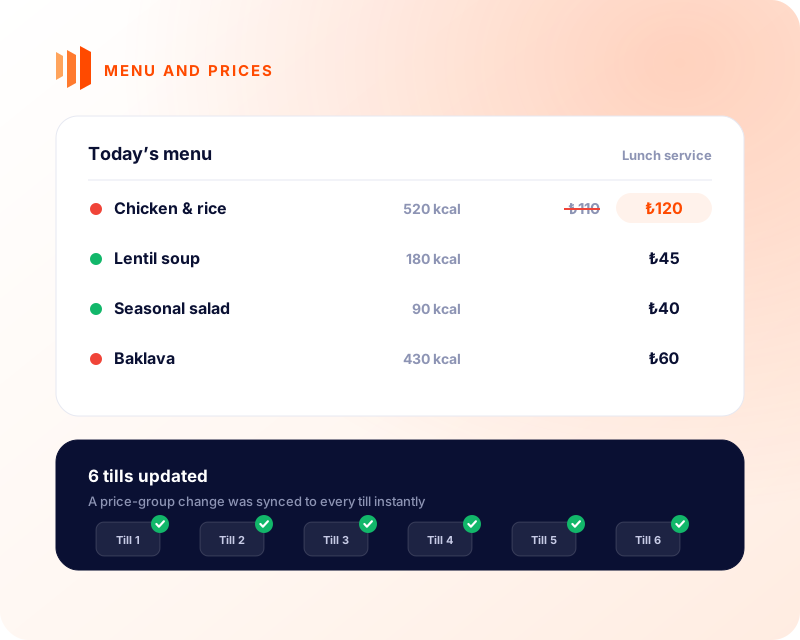
The dish catalogue, weekly menu and price groups are managed centrally and synced to every till instantly. Every tray’s calories are calculated and shown on screen and on the receipt.

  • Full control of menu and prices from one panel.
  • Automatic calories on screen and on the receipt, supporting employee wellbeing.
  • Smart reports: which dish sold when and at which till; revenue, load and payment performance.

From transaction to insight. From insight to action.

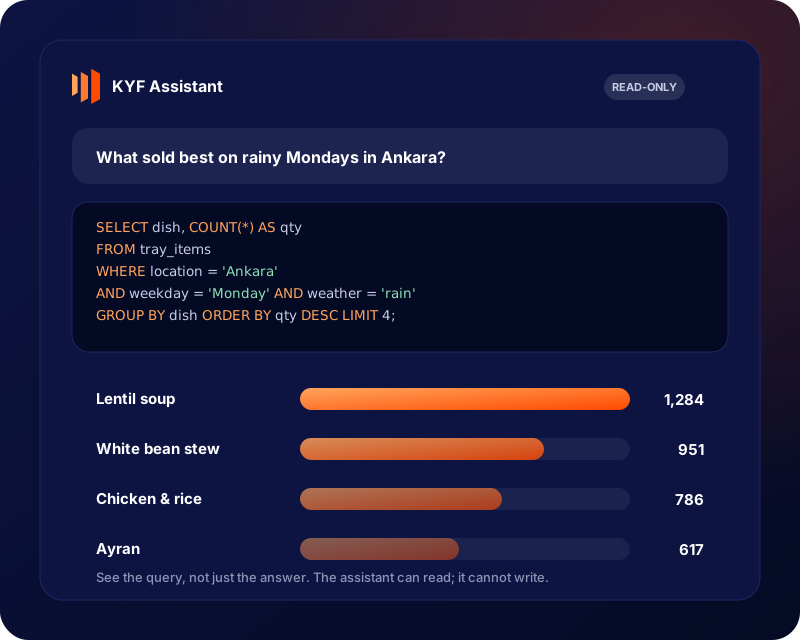
Every tray tells you what people actually eat. Thousands of trays tell you what to cook tomorrow.

  • Which dishes sell better together?
  • When and where does demand peak?
  • Which corrections affect revenue and speed?
  • How much waste could you avoid by connecting production data?

Ask the KYF Assistant in plain language and see the query behind the answer. It can read; it cannot write.

Let people pay the way they want

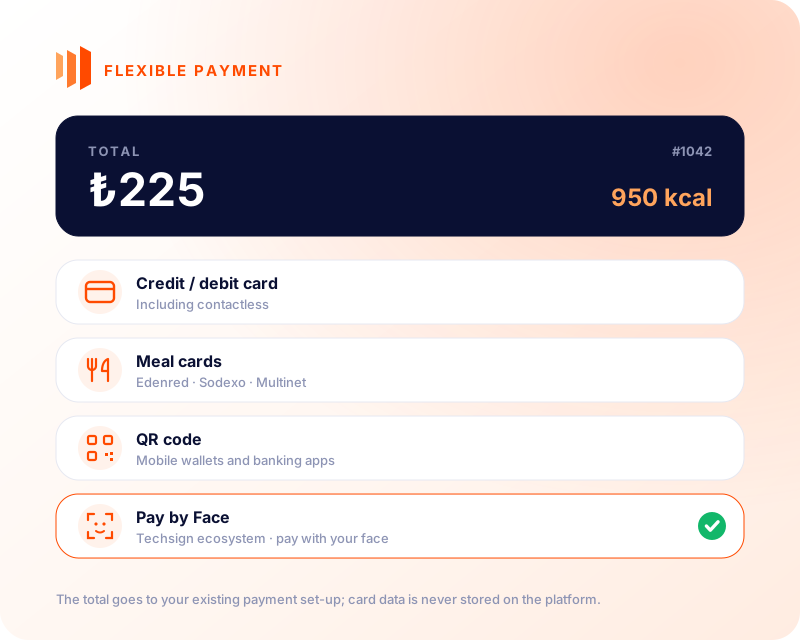
KYF passes the total to your existing payment infrastructure and links the returned result and transaction reference. Card data is never stored on the platform.

  • Credit / debit card, including contactless
  • Meal cards: Edenred · Sodexo · Multinet
  • QR code: mobile wallets and banking apps
  • Pay by Face: pay with your face, from the Techsign ecosystem

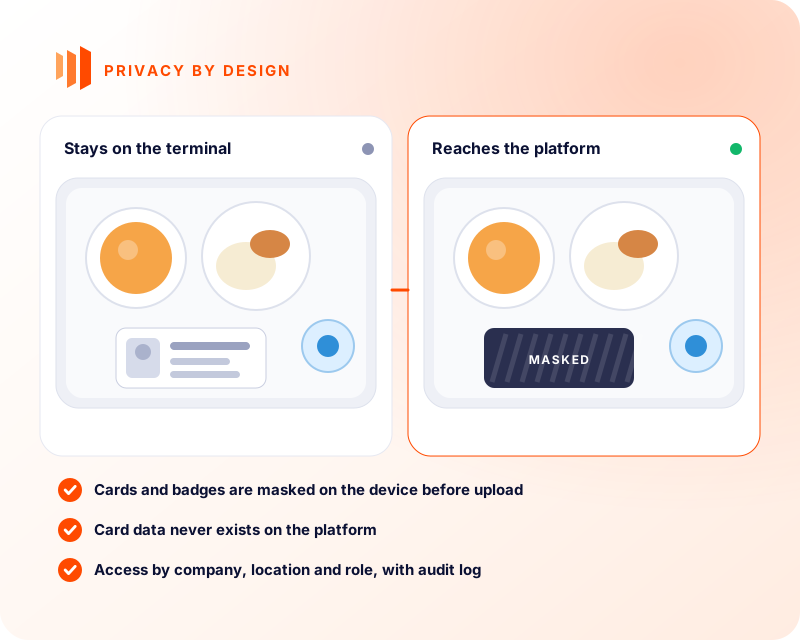
The camera sees the tray. Not the card on it.

Trays carry more than food: a forgotten staff badge, a bank card, a phone. These are masked on the tablet before the image is uploaded. The unmasked frame never leaves the terminal.

  • Card data never exists on the platform; it stays with the payment provider.
  • Access is limited by company, location and role; admin access is written to the audit log.
  • Image retention is set per installation and written into the contract.
Request a Demo
Techsign in numbers

Trusted at scale by industry leaders

Millions of identities verified every year across banking, fintech, mobility and the public sector.

80 M+
Verified identities
20M+
Documents Signed
250+
Customers
8+
Years of Experience
ISO 27001 information security KVKK & GDPR compliant NIST FRTE / FATE tested face recognition Cloud or on-premise deployment
KYF

Frequently asked questions

How does tray-recognition checkout work?
The terminal captures the tray image, suggests dishes using today’s menu as context, sends uncertain ones for supervisor review, applies the verified price and links the result returned by the chosen payment provider to the transaction.
What happens when recognition confidence is low?
Low-confidence or easily confused results go to the review flow with the photo. The supervisor’s correction is kept separate from the transaction record — that is what improves recognition quality.
How is a terminal set up?
The terminal is registered, securely paired with a one-time code, receives menu and price data and starts taking transactions after an on-site check.
What if the connection drops?
The device keeps working; pending transactions are re-sent when the connection returns. How payment behaves during an outage is verified against the chosen payment provider’s integration scope.
Is a card or badge left on the tray recorded?
No. A staff badge, bank card or phone left on the tray is masked in the image. Recognition needs to know what the dish is, not the name, number or photo on the card.
Is card data stored on the platform?
No. The payment flow runs at the chosen provider; the platform only stores the payment result and the transaction reference.
Can a multi-site operator compare locations?
Yes. Revenue, transaction volume, menu performance and payment results can be compared by location and organisation; access is still limited to each person’s operational scope.
Request a Demo

Together, we discover the secure path for your business.

Get in touch to shape custom-built solutions aligned with your field, scale and geographic region.